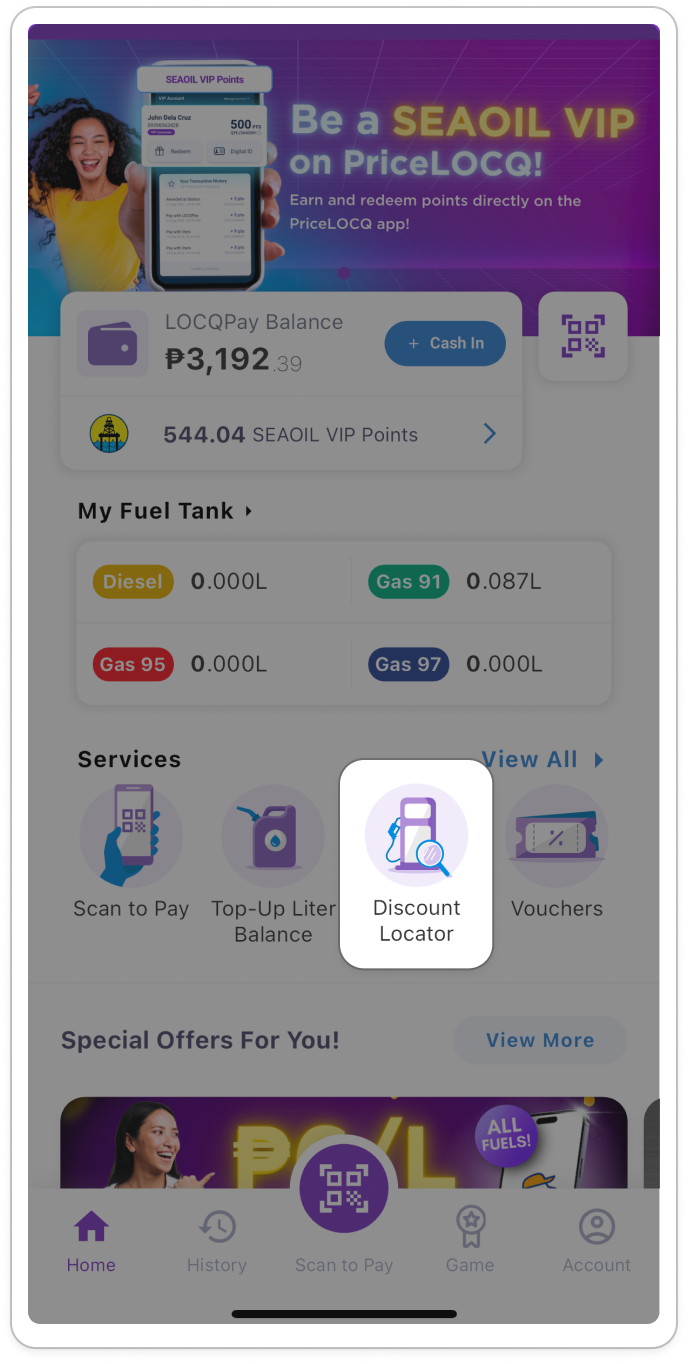
You can access this feature by clicking its icon on the homepage.
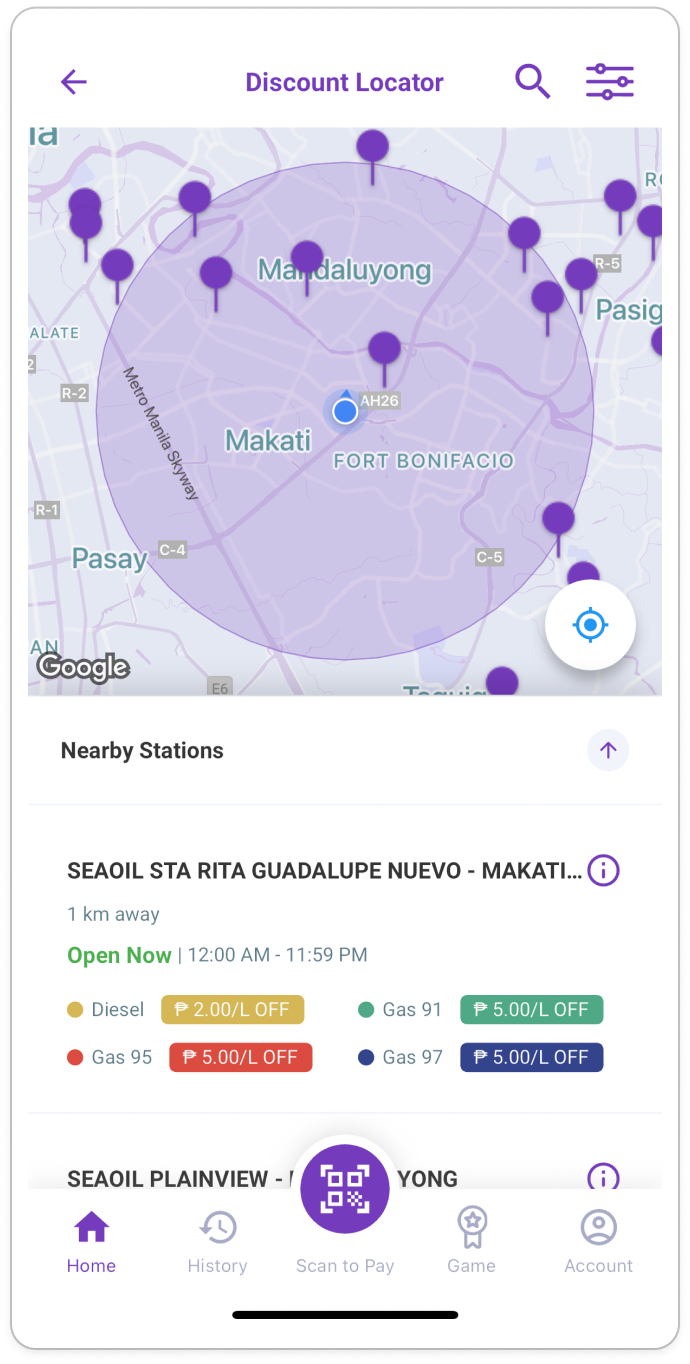
On the Discount Locator page, you will see the full list of PriceLOCQ partner stations, arranged based on their proximity to your current location. Under each station, you will see the following details:
Distance from your current location
Operating hours
Available products and their corresponding discounts under Pay with LOCQPay
Additionally, you can also use the filter on the upper right portion of the page to narrow down the list of stations based on Province, City, and/or Available Products.
Was this article helpful?
That’s Great!
Thank you for your feedback
Sorry! We couldn't be helpful
Thank you for your feedback
Feedback sent
We appreciate your effort and will try to fix the article