How do I register and create an account?
You’re a few steps away from unlocking the power over fuel prices!
To create your PriceLOCQ account, follow the steps below:
Download the PriceLOCQ app from the App Store, Google Play, or Huawei AppGallery.
Open the app and enter your mobile number.
Enter the one-time authentication code sent to you via SMS.
Set up your profile and 6-digit MPIN.
That’s it — you now have a PriceLOCQ account!
I can’t download, install, or open the PriceLOCQ app.
Make sure:
You have a stable internet connection.
Your phone meets the minimum requirements: iOS 8.0 or higher or Android 7.0 (Nougat) or higher.
If the problem persists, reach out to us via Messenger or email support@pricelocq.com with:
Name
Registered mobile number
Date & time of issue
Screenshot of the error
Phone model & OS version (e.g. Samsung Galaxy S25 with Android 15.0)
Internet provider
Follow the steps below to start saving:
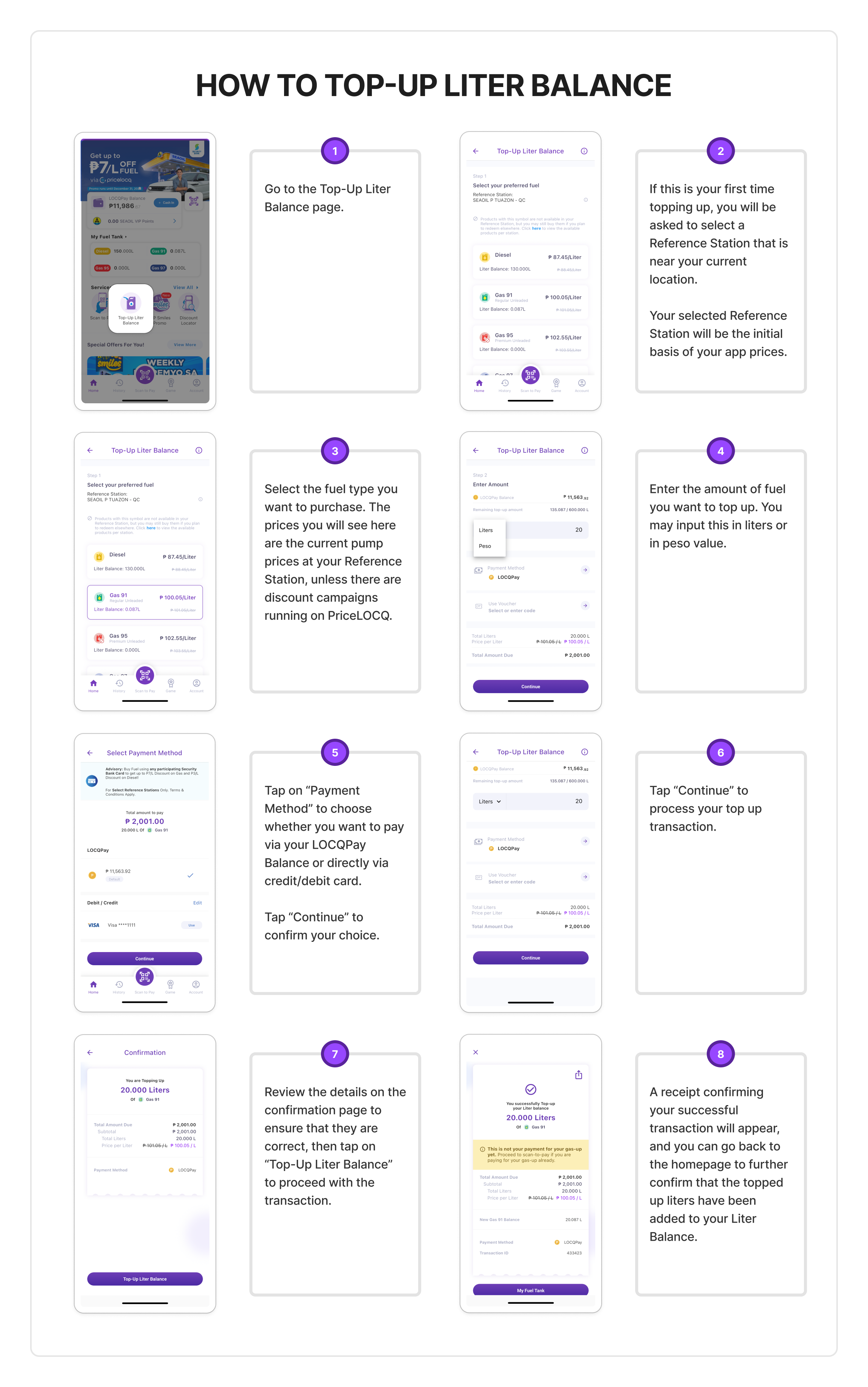
Should you encounter any problem, kindly send an email to support@pricelocq.com or reach out to us on Messenger with the following details so we can assist you further:
Name
Registered mobile number
Date and time when problem was encountered
Screenshot of the problem
Phone model
Phone OS (e.g. iOS 13, Android 9.0)
Internet provider
Was this article helpful?
That’s Great!
Thank you for your feedback
Sorry! We couldn't be helpful
Thank you for your feedback
Feedback sent
We appreciate your effort and will try to fix the article