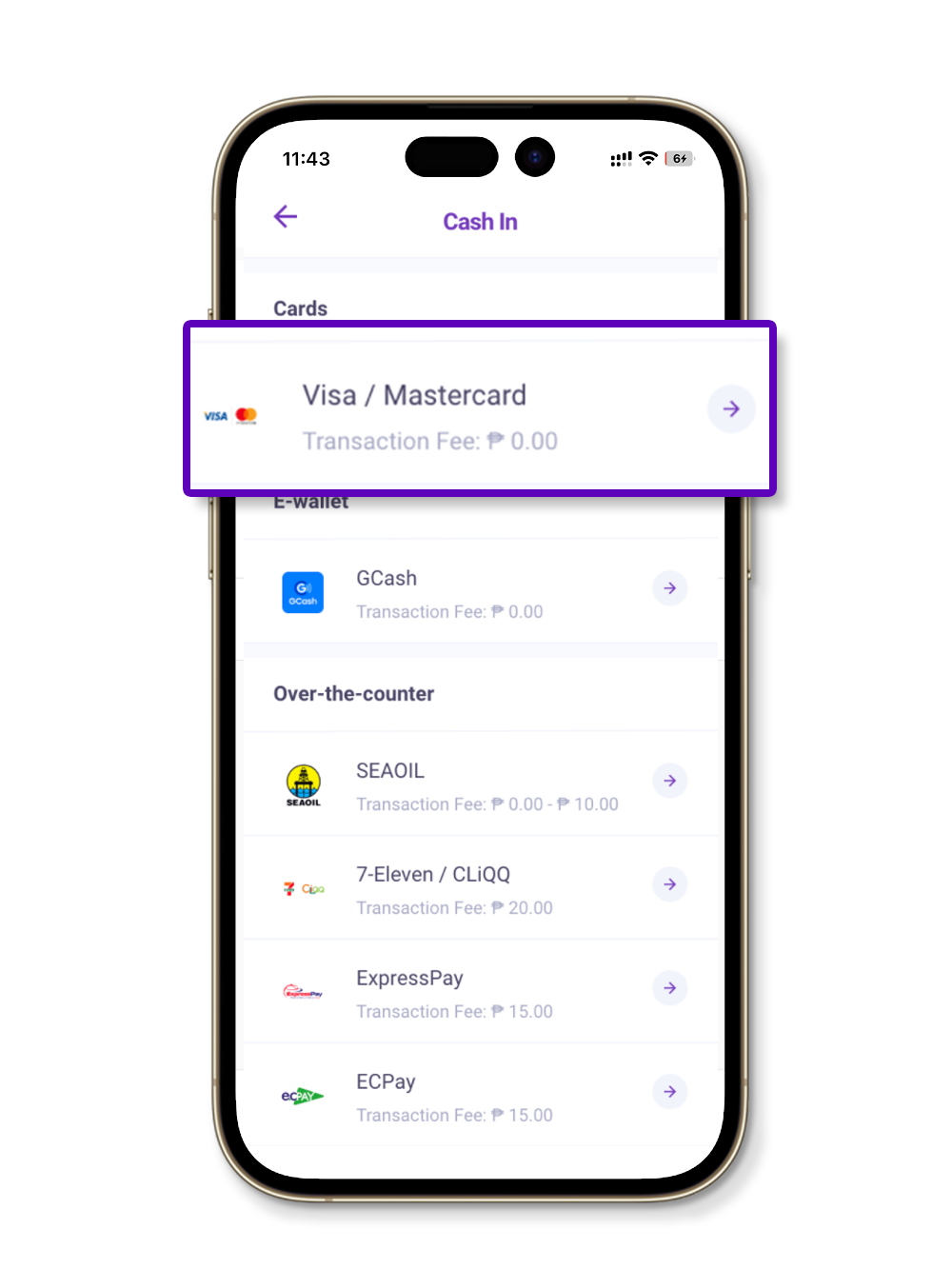
Go to the Cash In page and select "Debit/Credit Card."
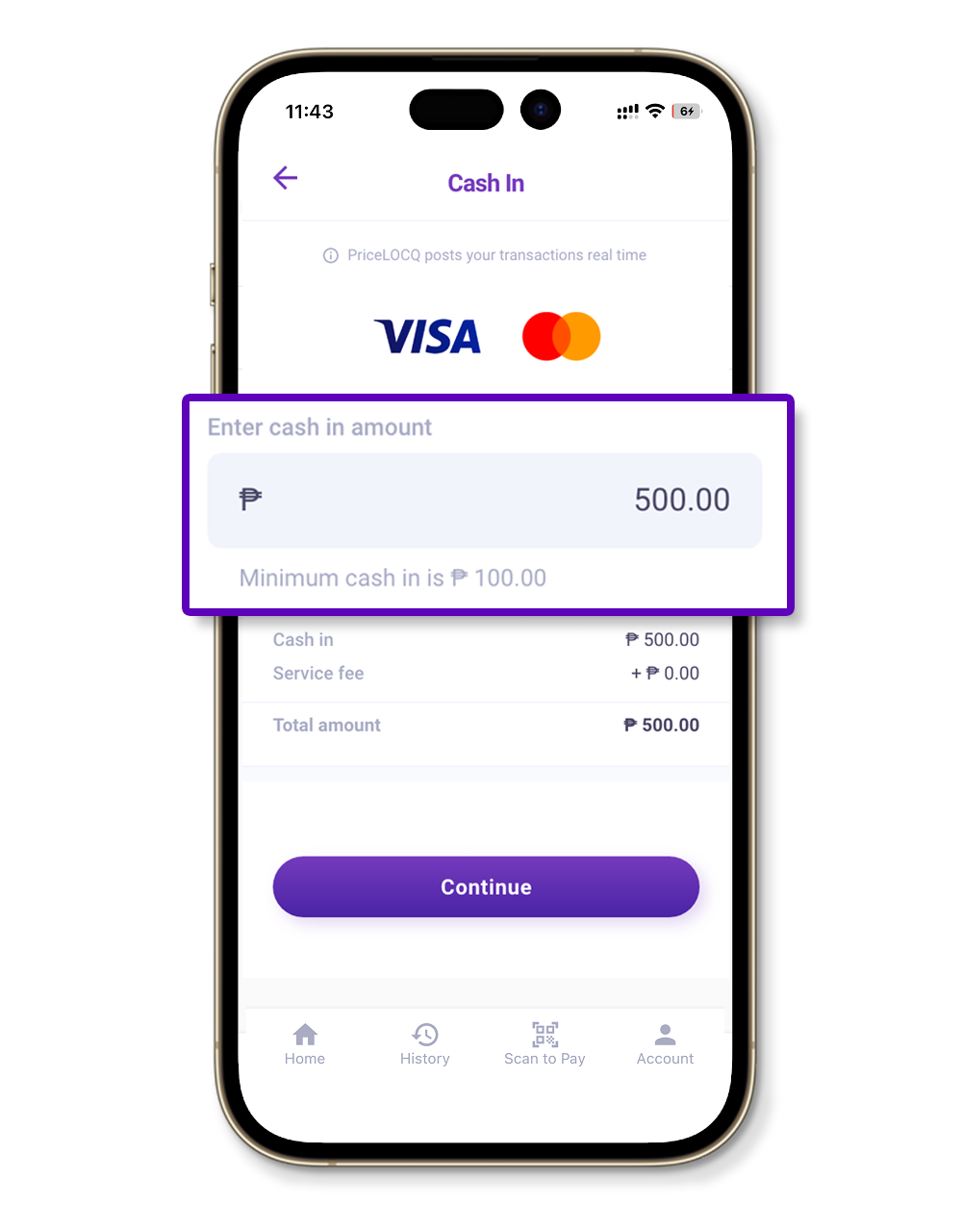
Input any amount in the cash in field. Don't worry, this will just act as a placeholder to access the Edit Saved Cards page.
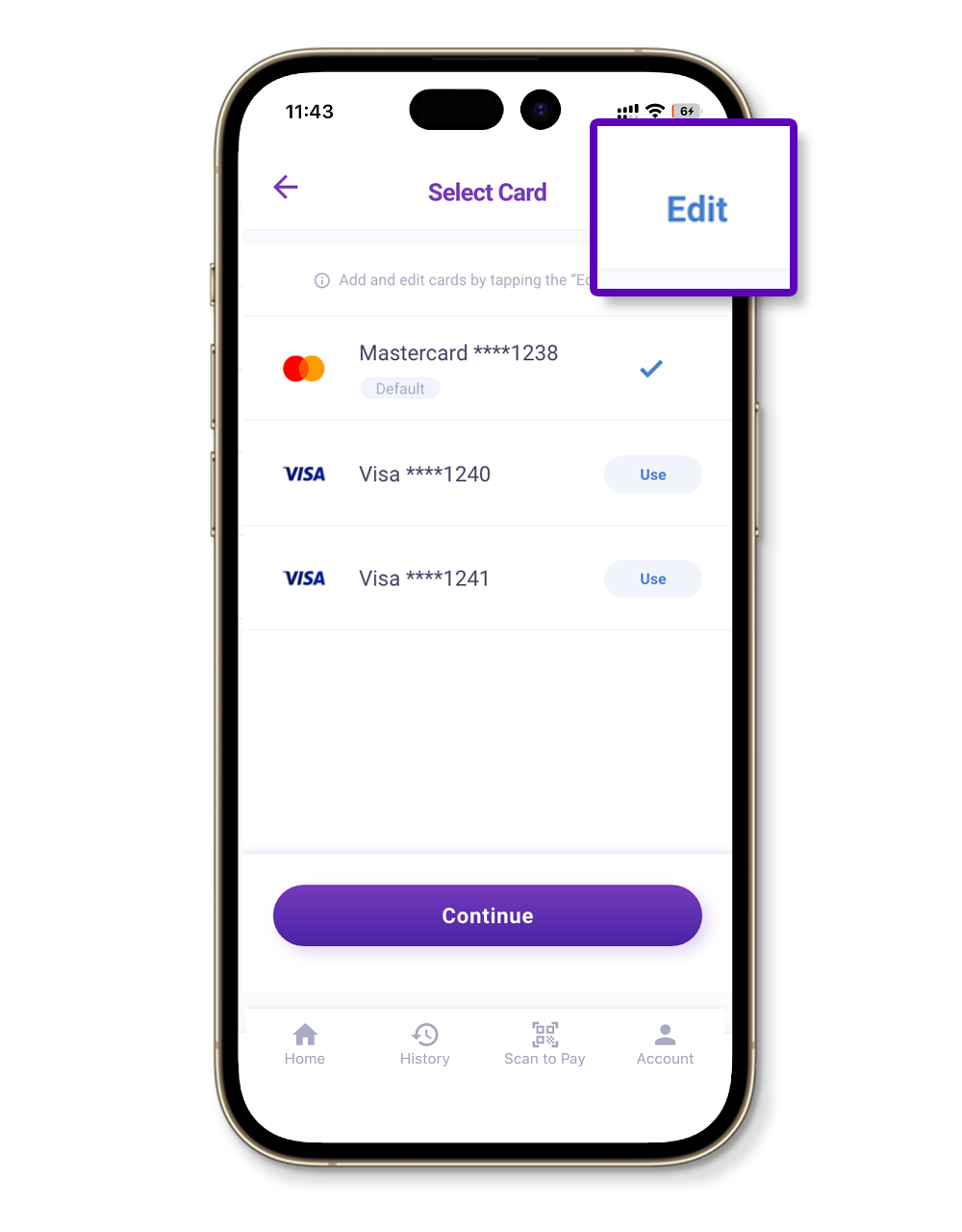
Click the Edit button on the upper right part of the screen. In the list of saved credit or debit cards, tap the Edit/Pencil icon beside the card you want to unlink and choose "Delete."
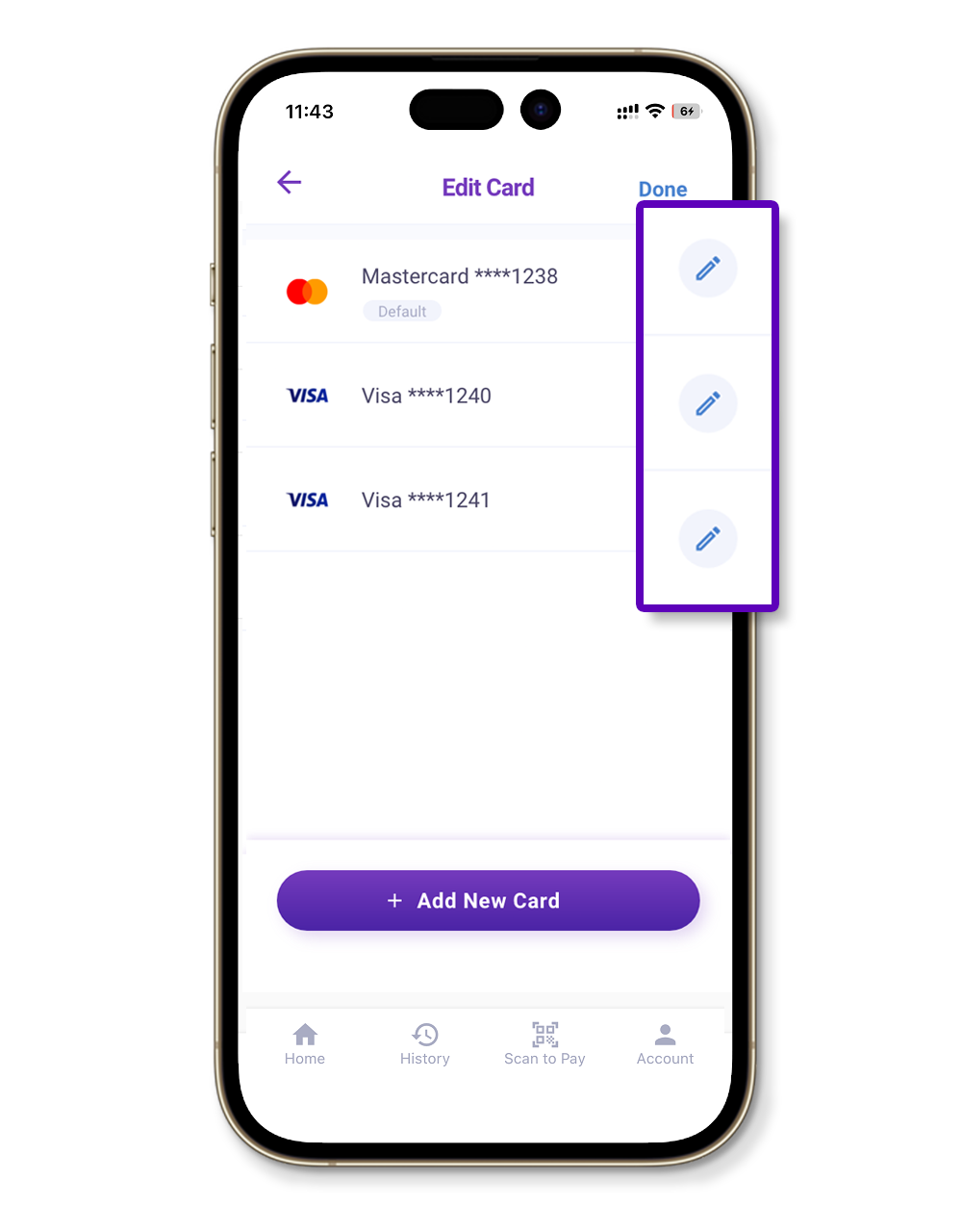
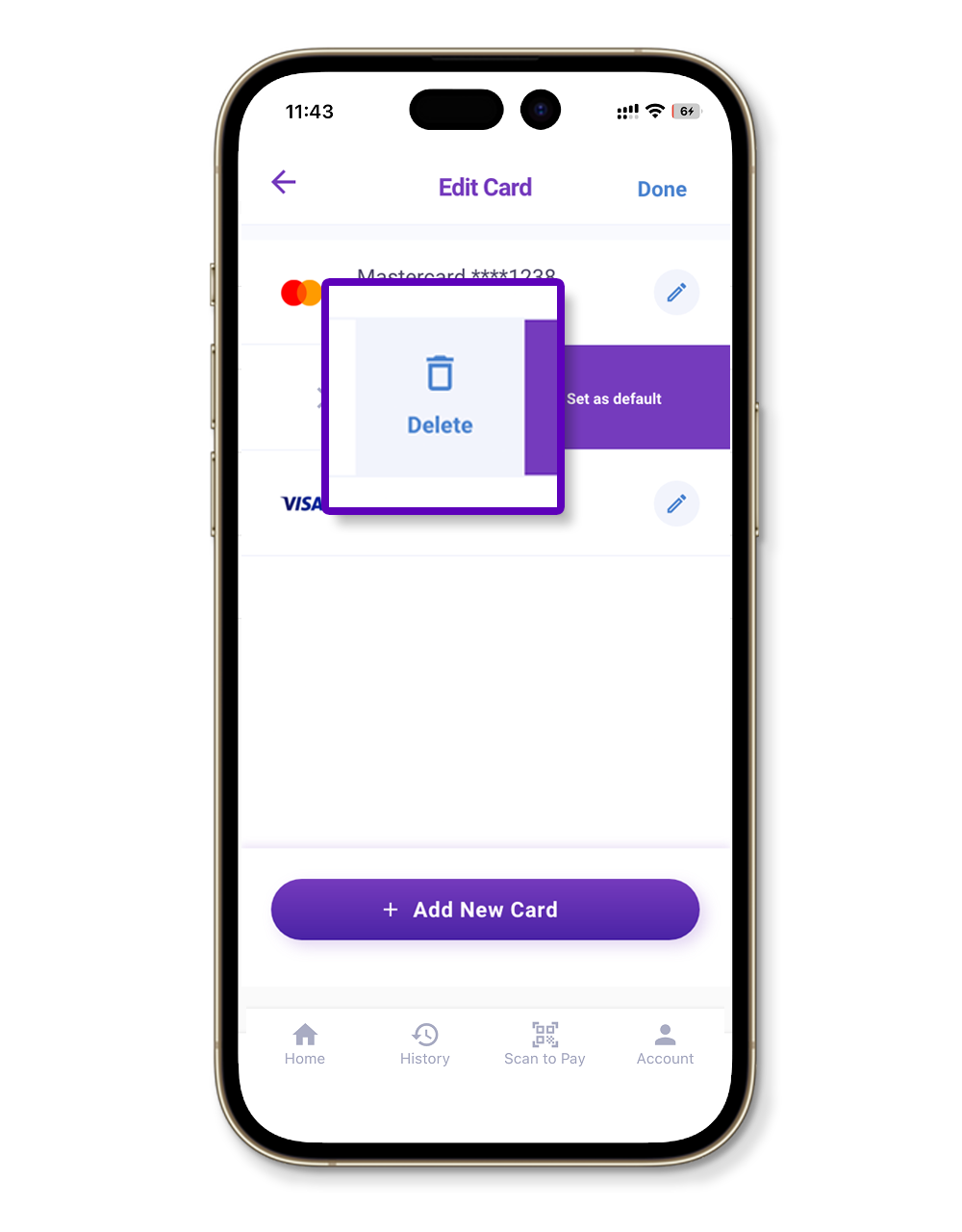
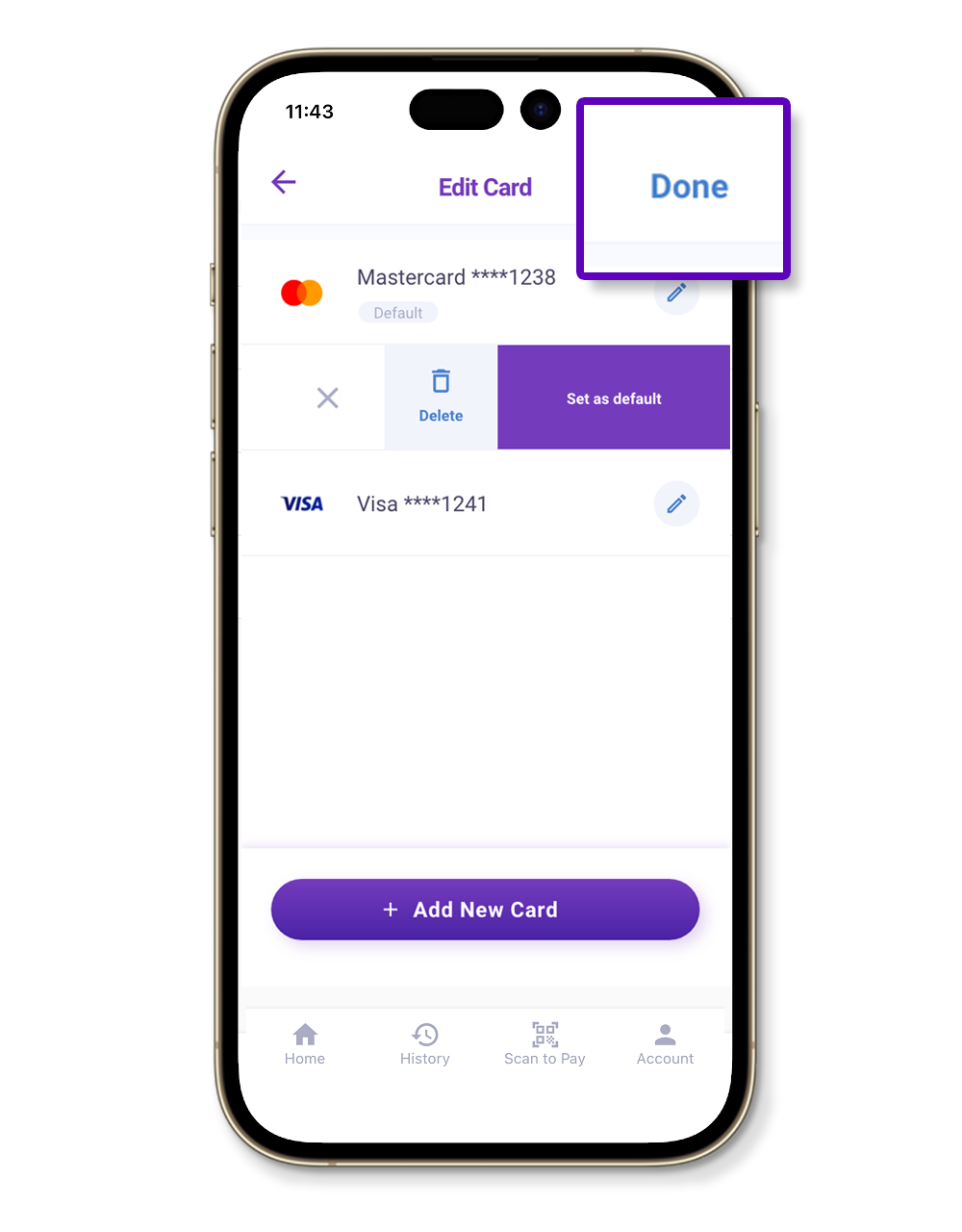
After deleting the card, tap "Done" on the upper right part of the screen.
Should you encounter any problem, kindly send an email to support@pricelocq.com or reach out to us on Messenger with the following details so we can assist you further:
Name
Registered mobile number
Date and time when problem was encountered
Screenshot of the problem
Phone model
Phone OS (e.g. iOS 13, Android 9.0)
Internet provider
Was this article helpful?
That’s Great!
Thank you for your feedback
Sorry! We couldn't be helpful
Thank you for your feedback
Feedback sent
We appreciate your effort and will try to fix the article