You may disable or deactivate 2FA at your convenience through your Fleet Portal. Please note that by doing so, you acknowledge and consent to the removal of this security feature.
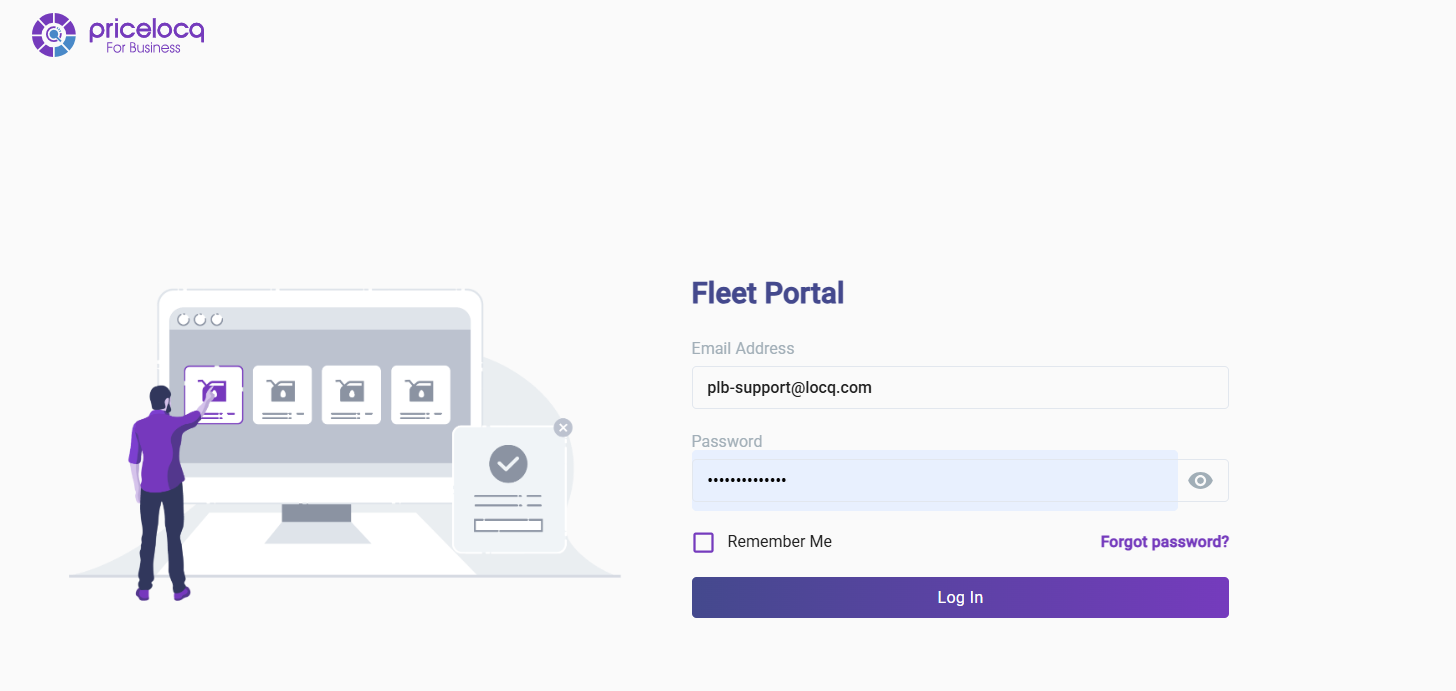
Step 1: Log in to your Fleet Portal at business.pricelocq.com
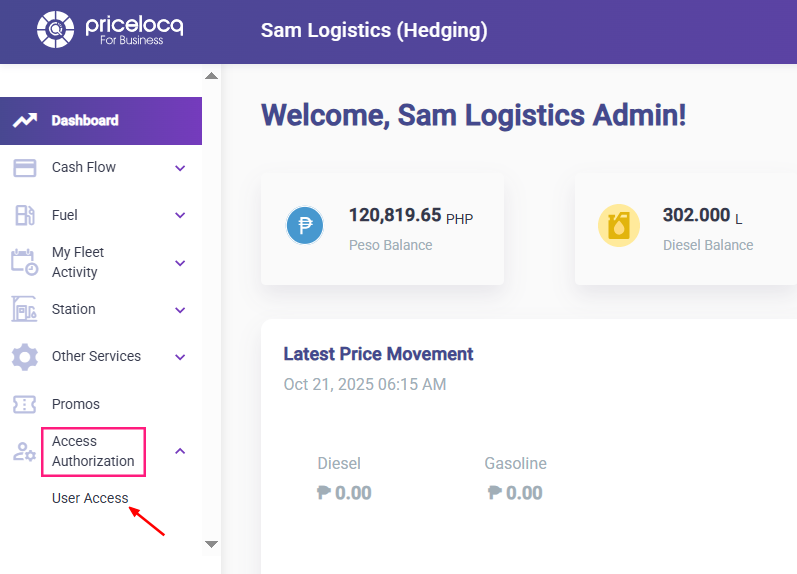
Step 2: Go to Access Authorization → User Access
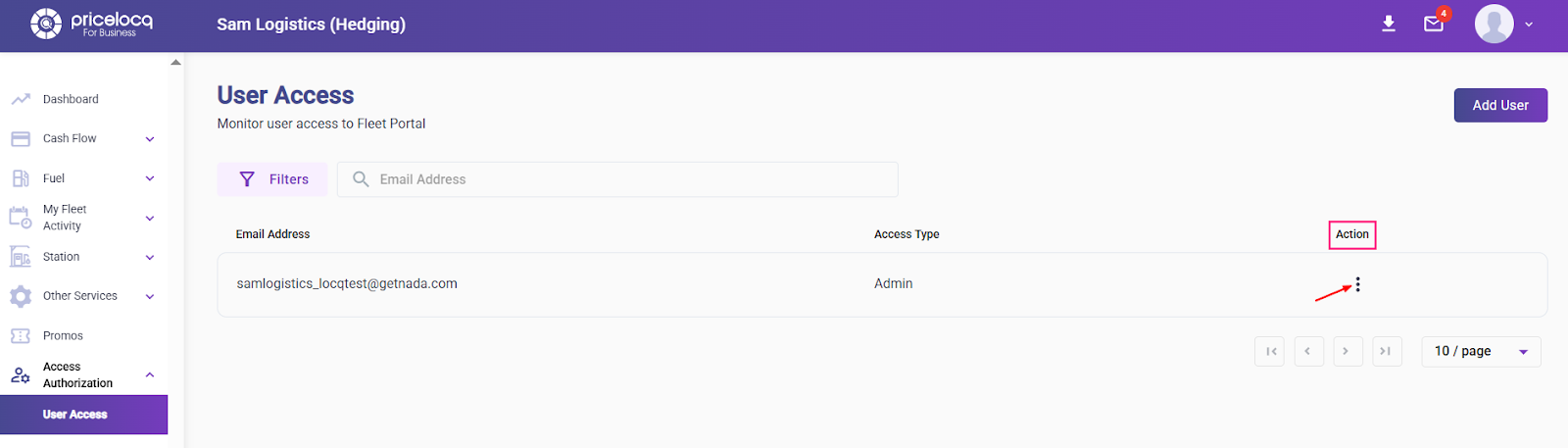
Step 3: Under the Action column, click the three dots
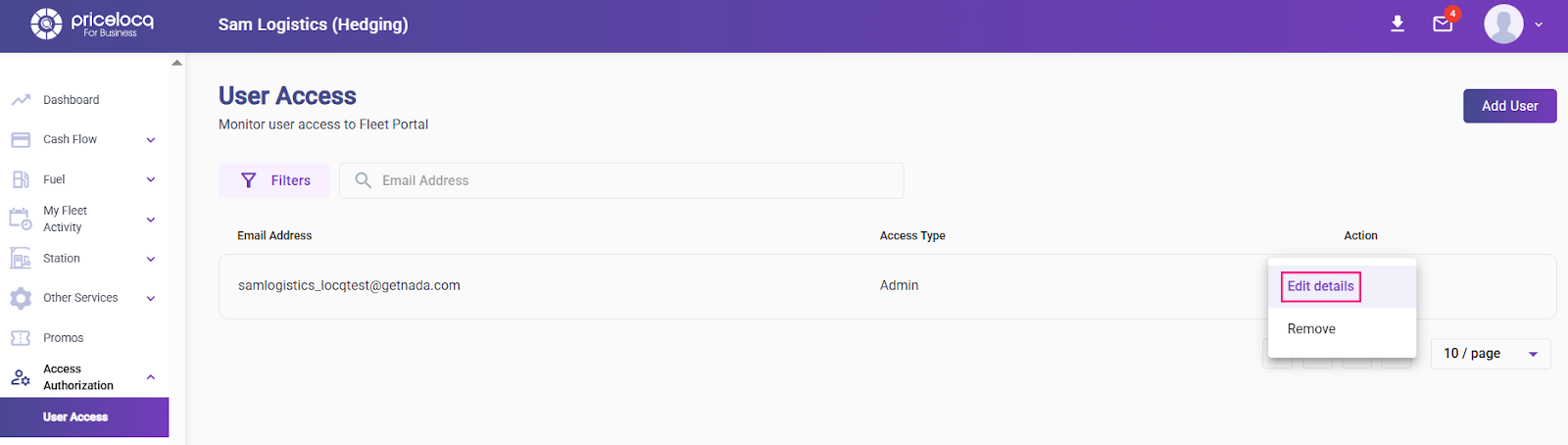
Step 4: Select Edit Details
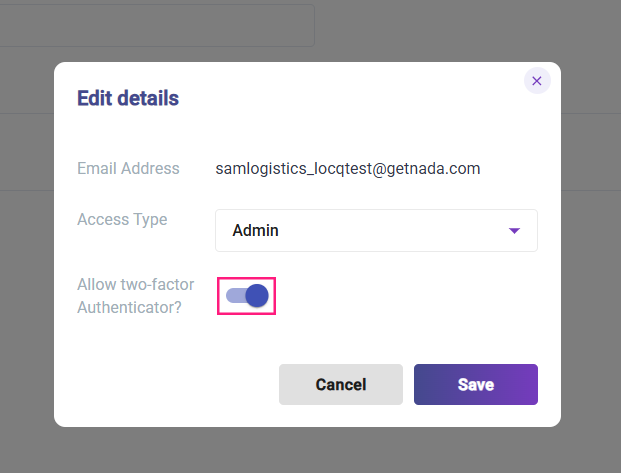
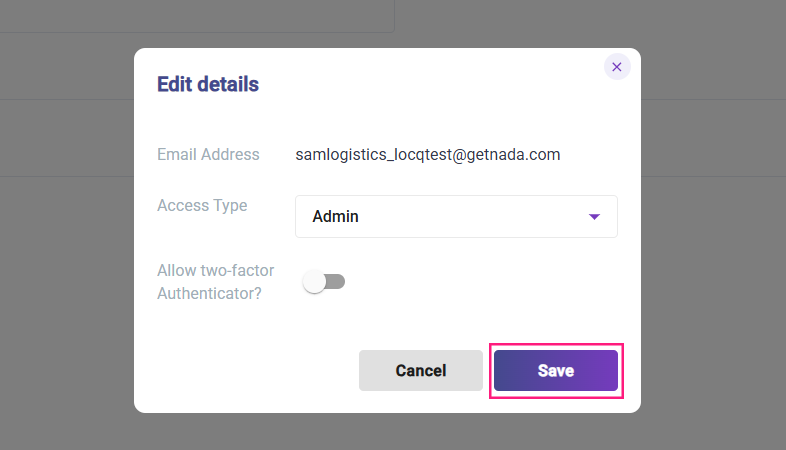
Step 5: Turn off 2FA and click Save
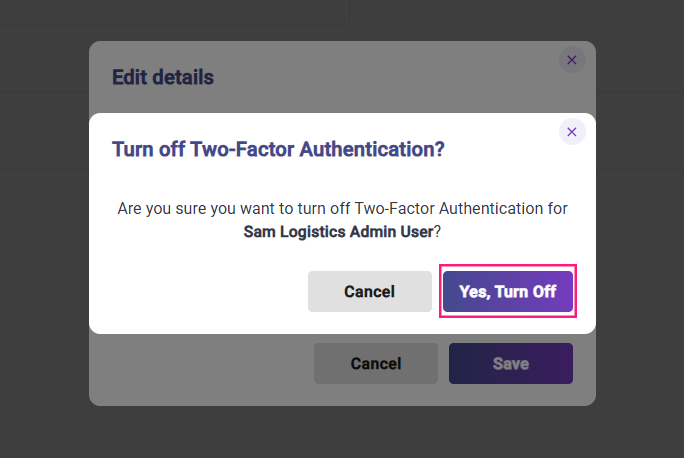
Step 7: Click Yes, Turn Off
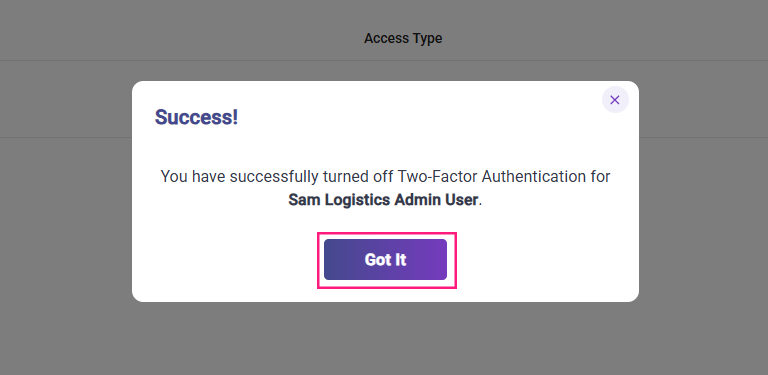
Step 8: A message will appear confirming that 2FA has been successfully turned off. Click Got It.
Note: Should you wish to reactivate your 2FA, you may do so by following the same procedure.
If you are unable to receive the OTP during login and cannot disable 2FA, please contact your assigned Account Manager for assistance.
Was this article helpful?
That’s Great!
Thank you for your feedback
Sorry! We couldn't be helpful
Thank you for your feedback
Feedback sent
We appreciate your effort and will try to fix the article