You can generate your Redemptions Summary directly from the PriceLOCQ for Business portal by following these steps:
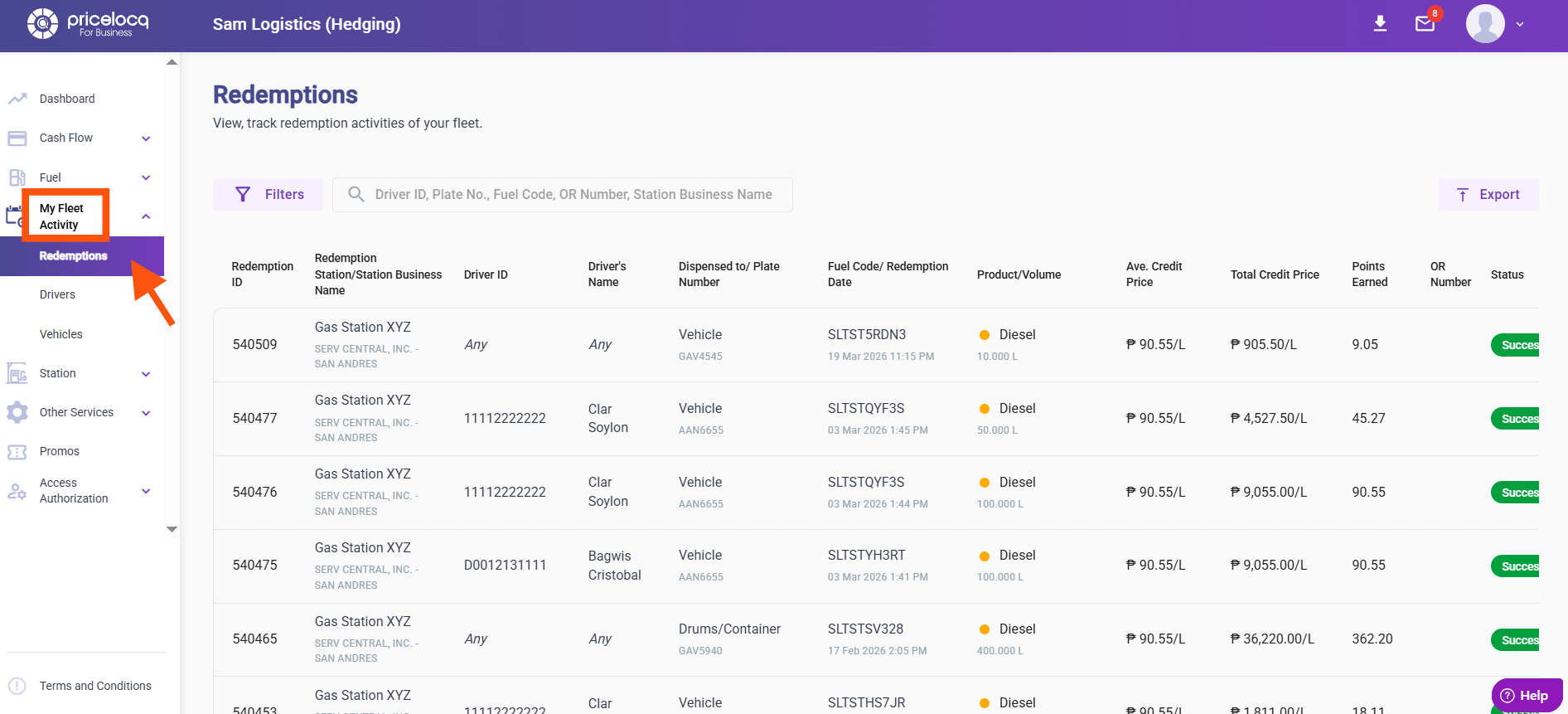
Step 1: In your portal, navigate to My Fleet Activity, then click Redemptions.
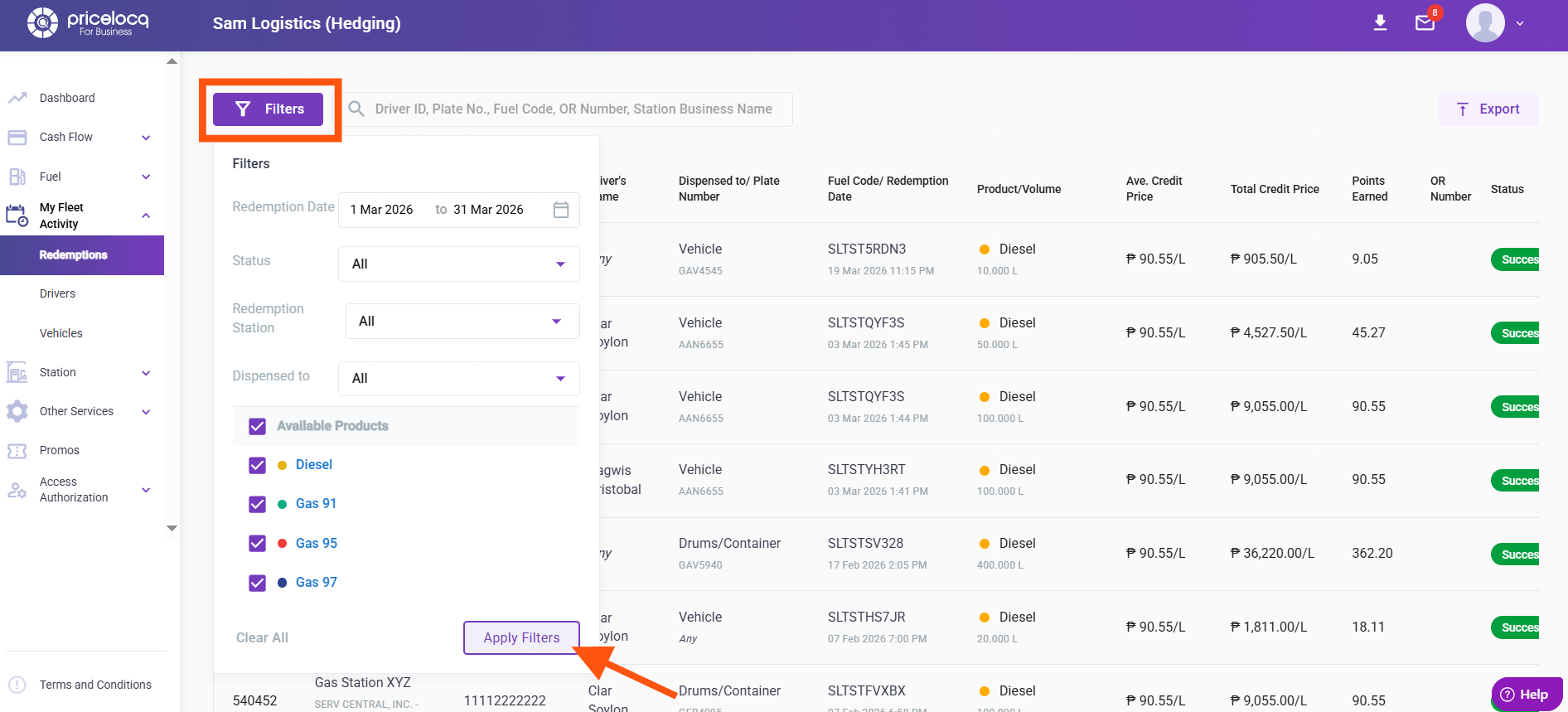
Step 2: Use the available filters to ensure the data you need is included in the report. The click Apply Filters.
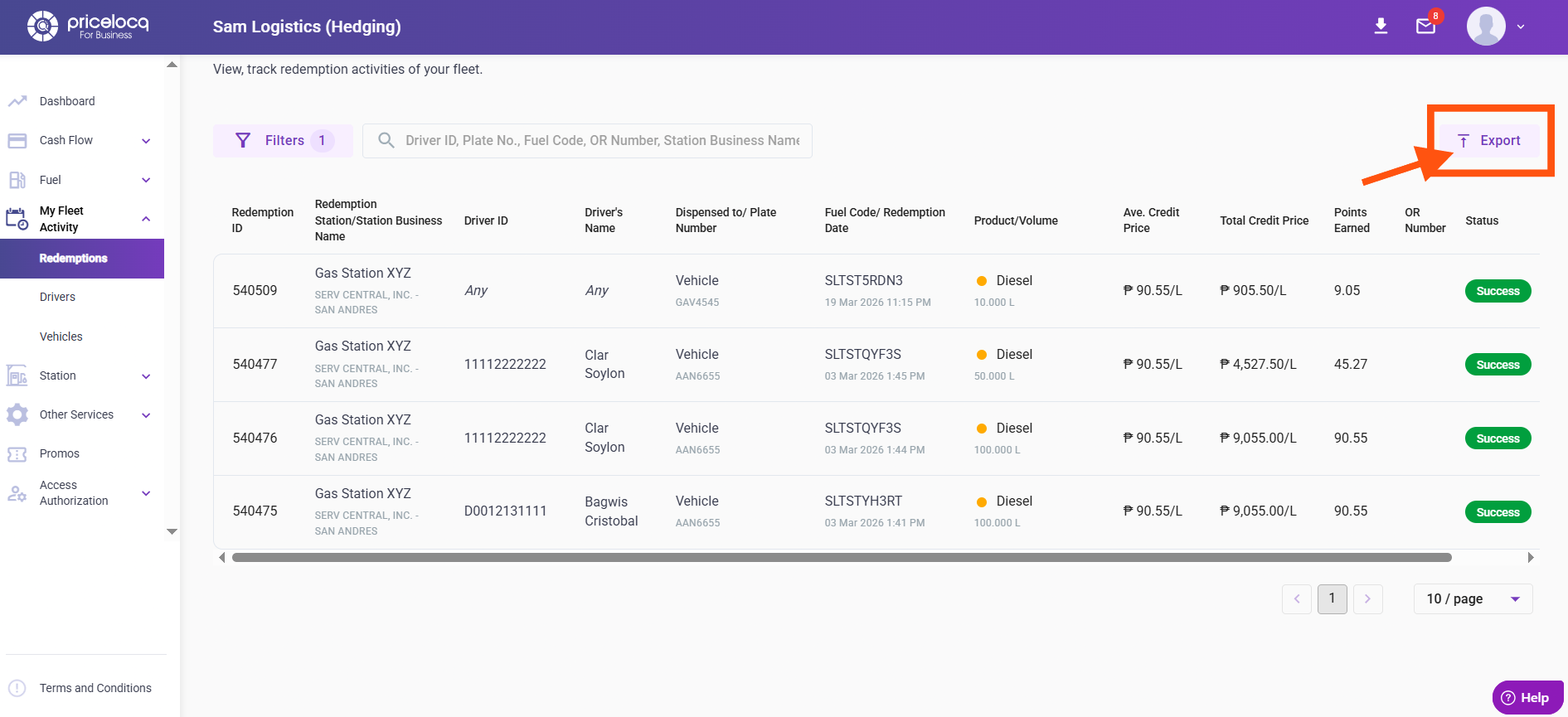
Step 3: After applying the filters, click Export.
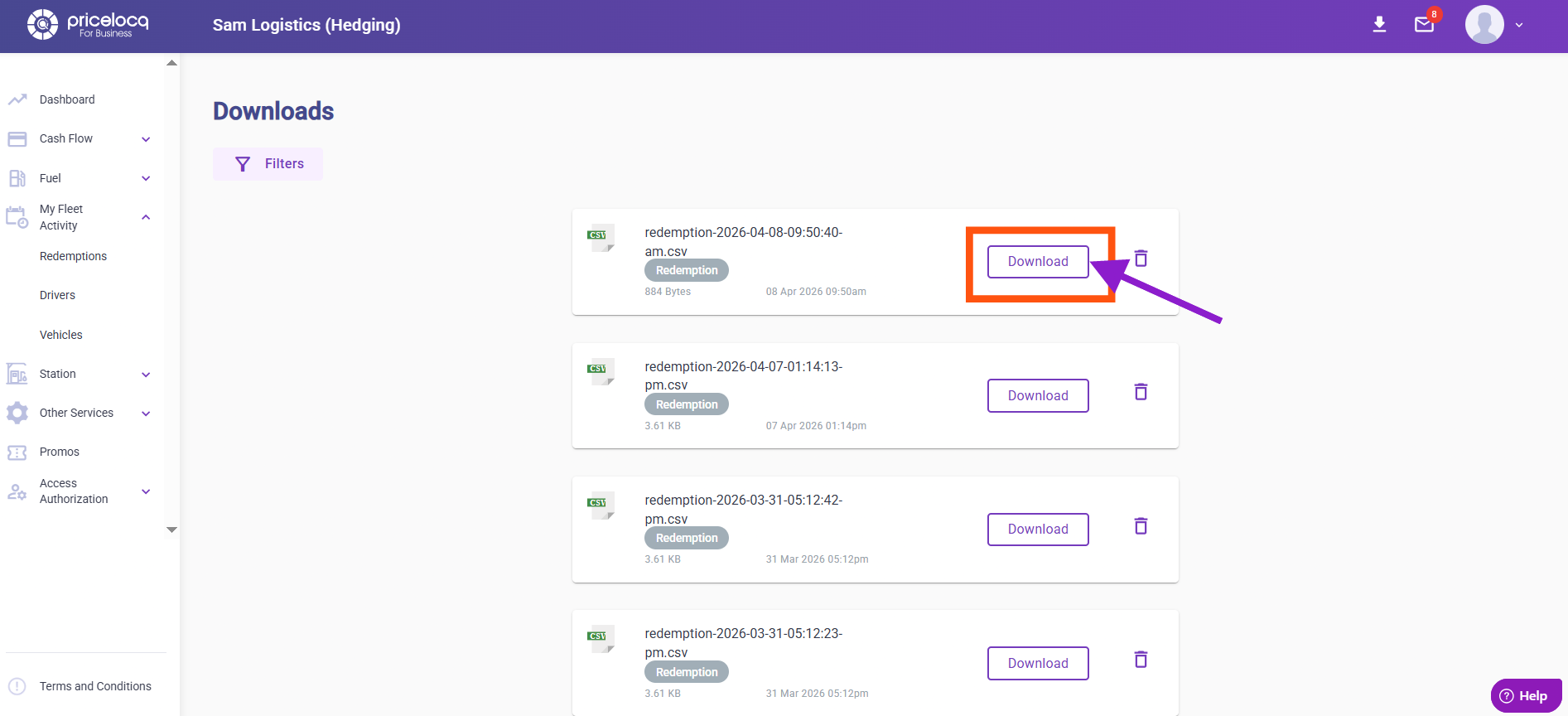
Step 4: On the upper-right corner of the page, click the arrow icon to view your exported files.
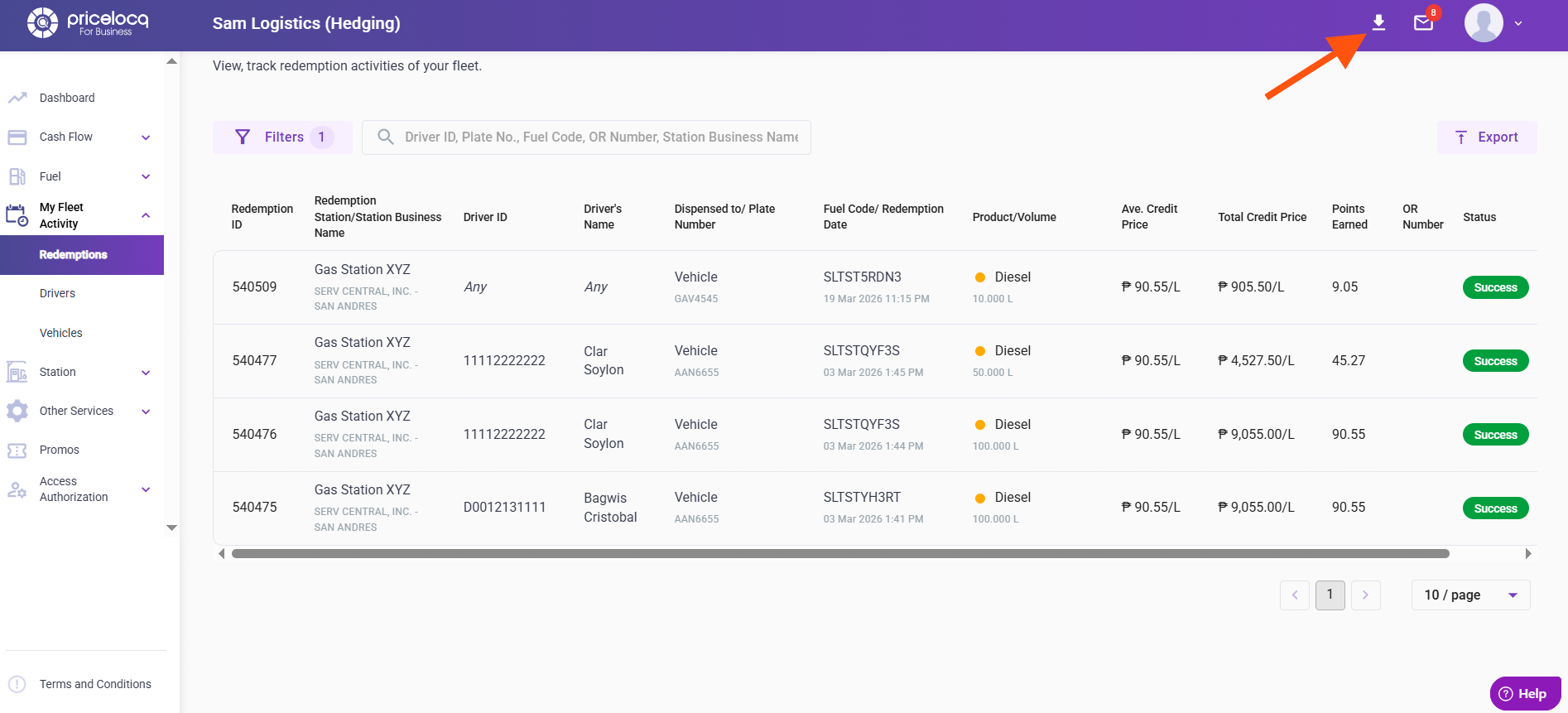
Step 5: Select Download — this will generate the Redemptions Summary file.
For any inquiries or concerns, kindly reach out to your respective Account Managers or email us at plb-support@locq.com.
Note: Please ensure that your Account Manager is copied (cc’d) in your email when reaching out to our support team.
Was this article helpful?
That’s Great!
Thank you for your feedback
Sorry! We couldn't be helpful
Thank you for your feedback
Feedback sent
We appreciate your effort and will try to fix the article