You can top up your wallet using a card in the PriceLOCQ for Business fleet portal by following these steps:
STEP 1: In your portal, navigate to Cash Flow, then click Cash In.
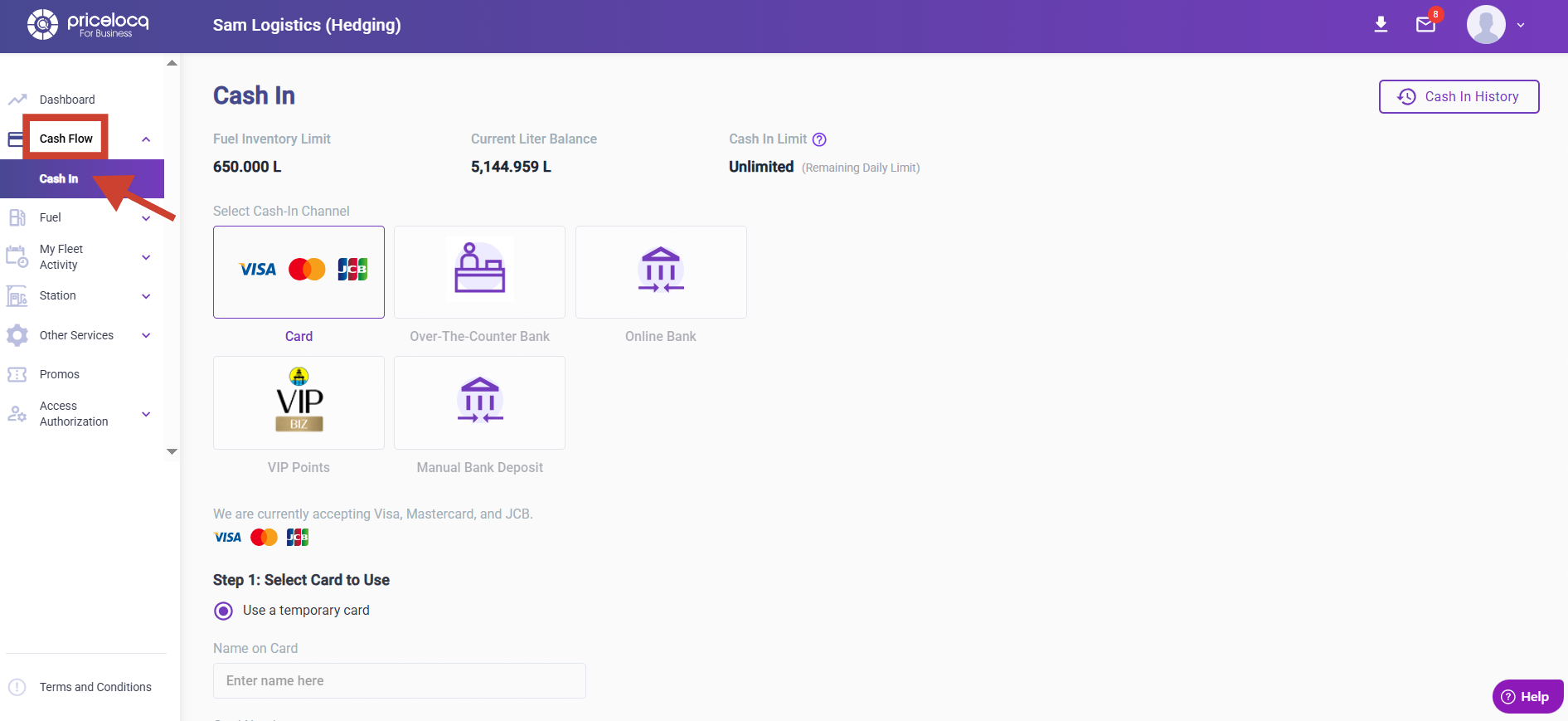
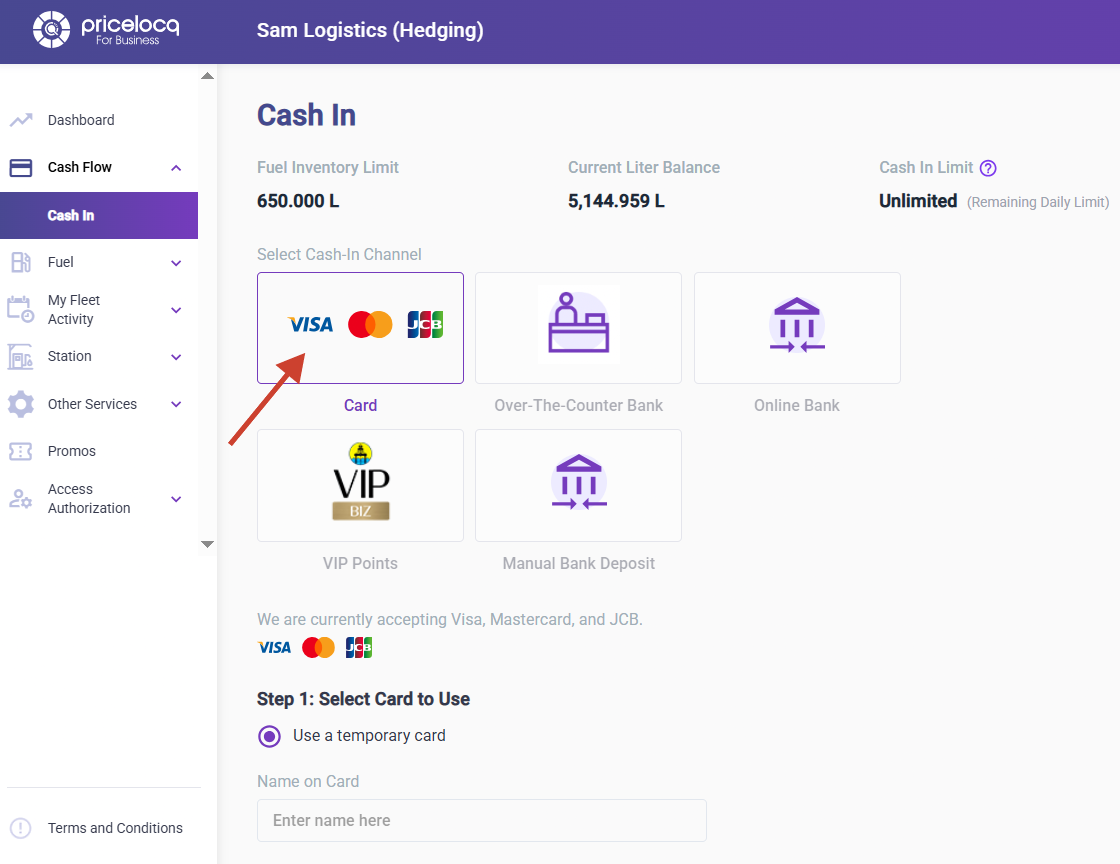
STEP 2: Select Card (Visa, Mastercard, or JCB).
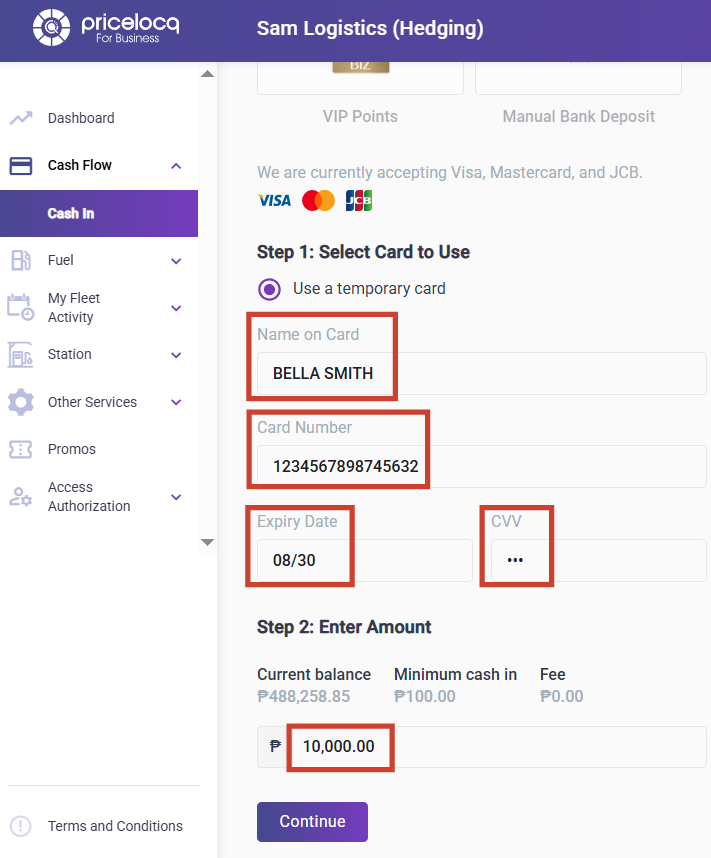
STEP 3: Enter your card details (Name on Card, Card Number, Expiry Date, and CVV) and input the amount you want to cash in (minimum of Php 100).
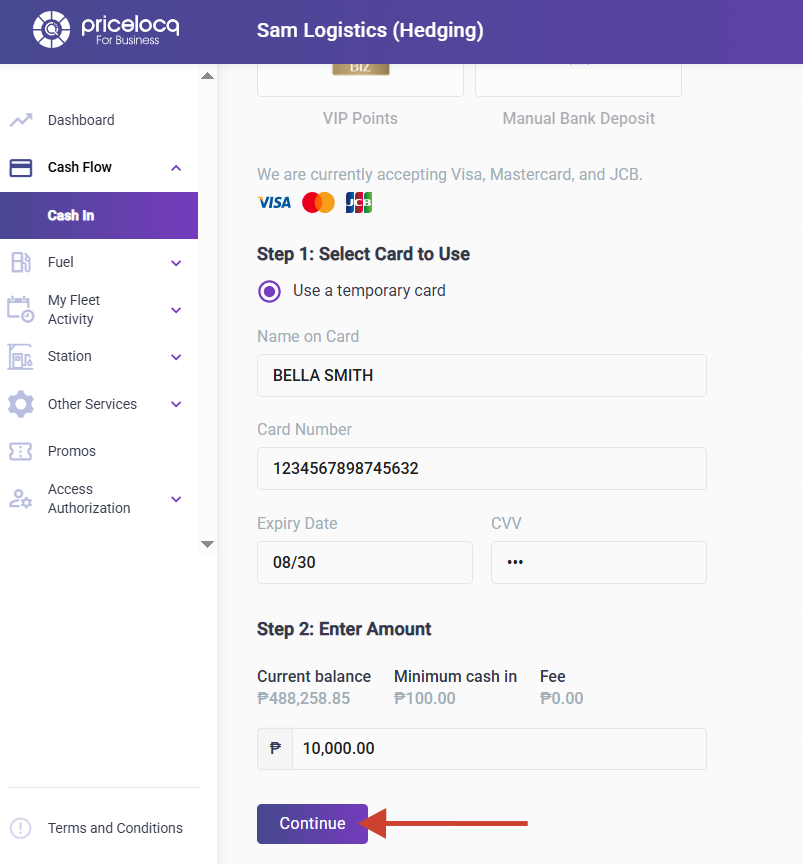
STEP 4: Click Continue and wait for the payment page to load and process your transaction.
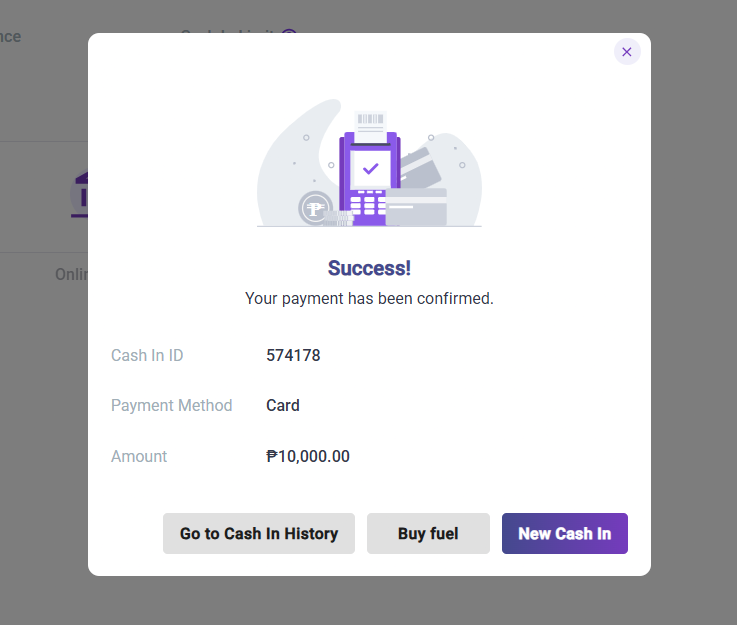
STEP 5: Once successful, you’ll see a confirmation notification with a corresponding cash in ID.
Note: If the transaction fails, contact your account manager and provide the Cash In ID. They will coordinate with the PriceLOCQ for Business (PLB) support team to check the issue.
For any inquiries or concerns, kindly reach out to your respective Account Managers or email us at plb-support@locq.com.
Note: Please ensure that your Account Manager is copied (cc’d) in your email when reaching out to our support team.
Was this article helpful?
That’s Great!
Thank you for your feedback
Sorry! We couldn't be helpful
Thank you for your feedback
Feedback sent
We appreciate your effort and will try to fix the article