Step 1: Log in to your Fleet Portal at business.pricelocq.com
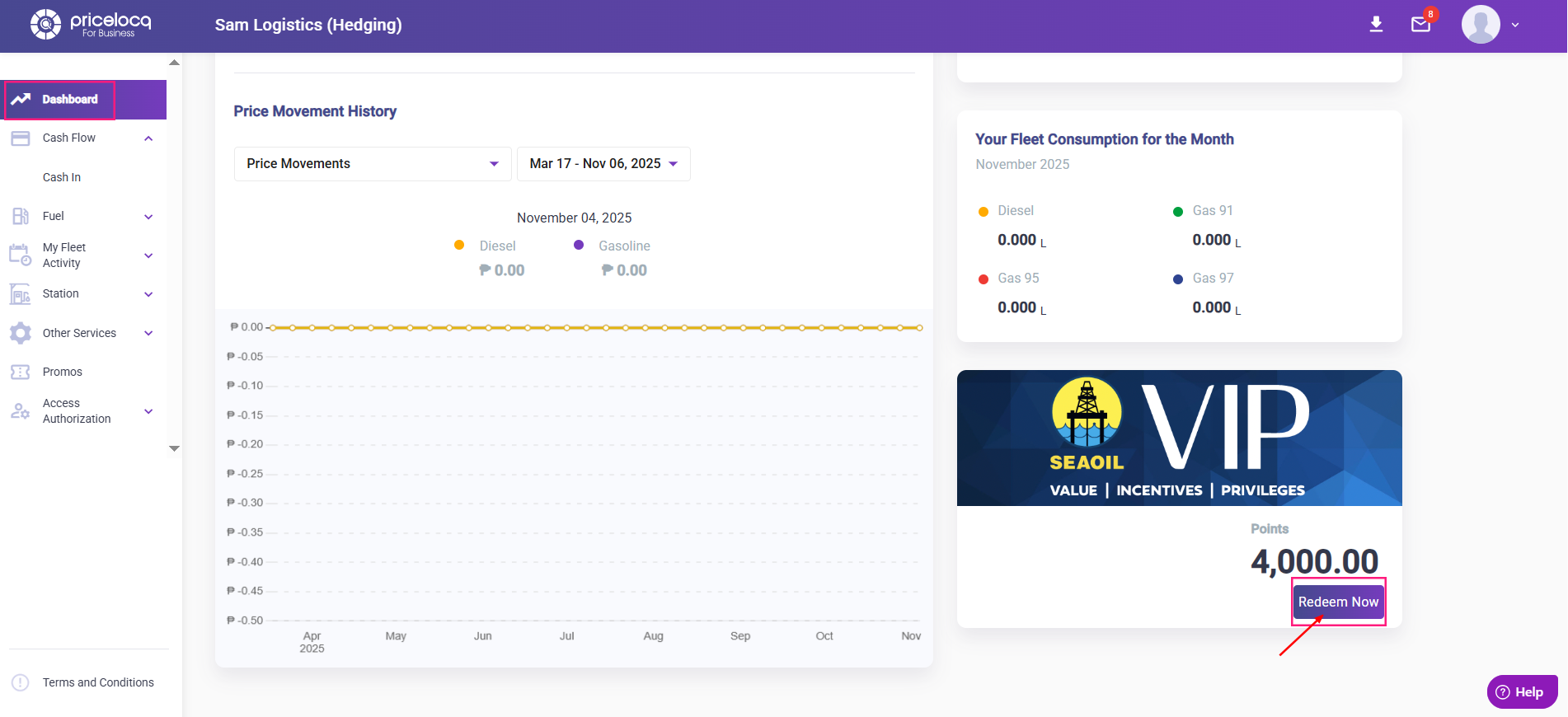
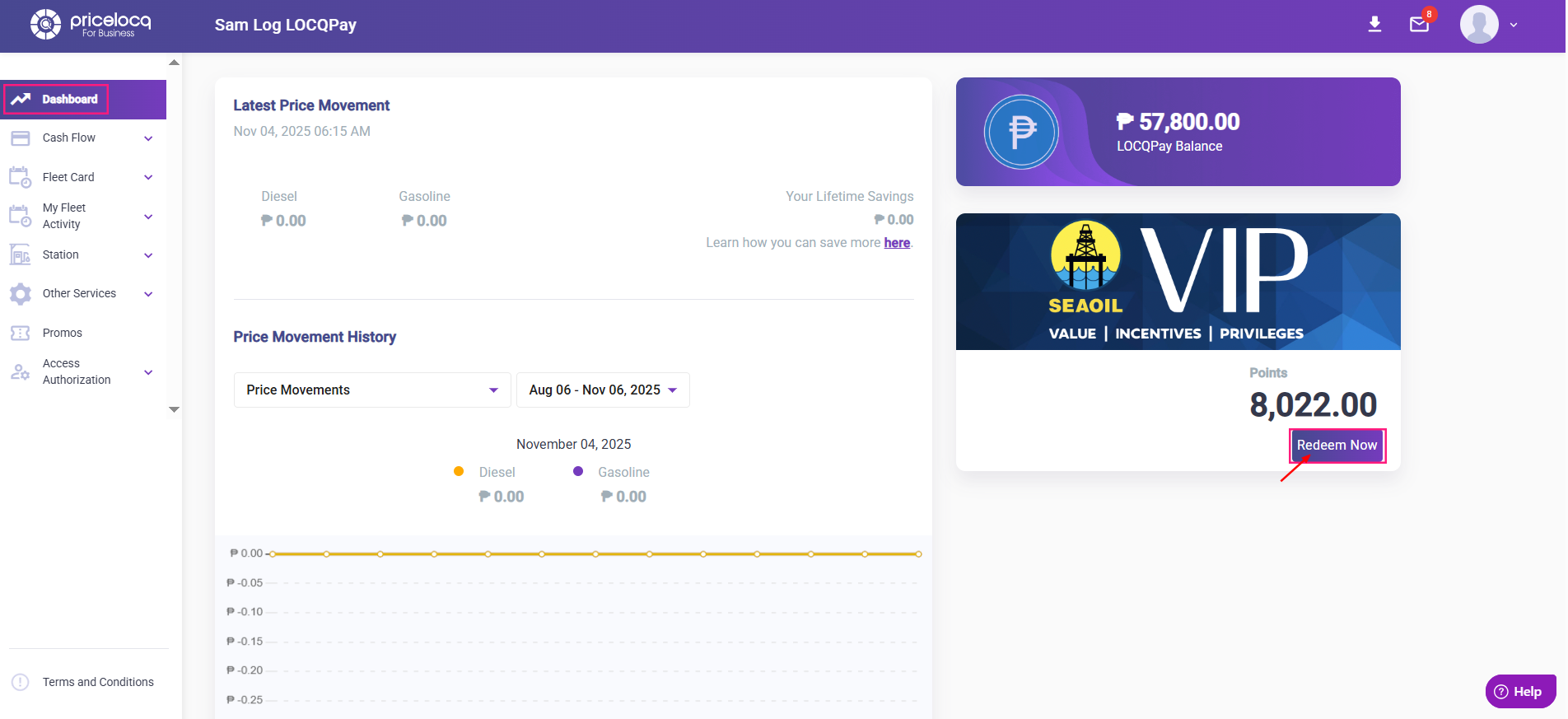
Step 2: On your Dashboard, go to the VIP section where your available VIP Points are displayed. Click Redeem Now.
Hedging Dashboard
LOCQPay Dashboard
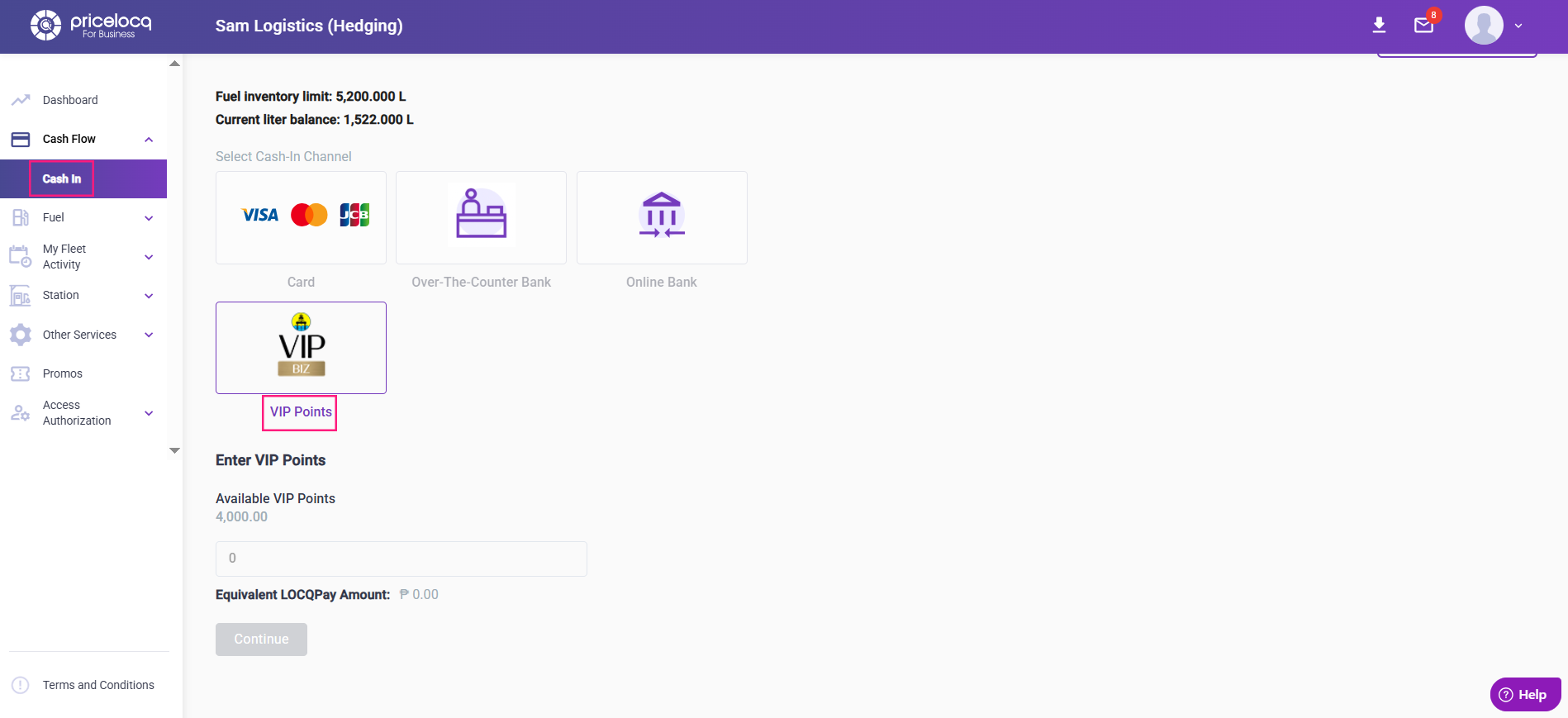
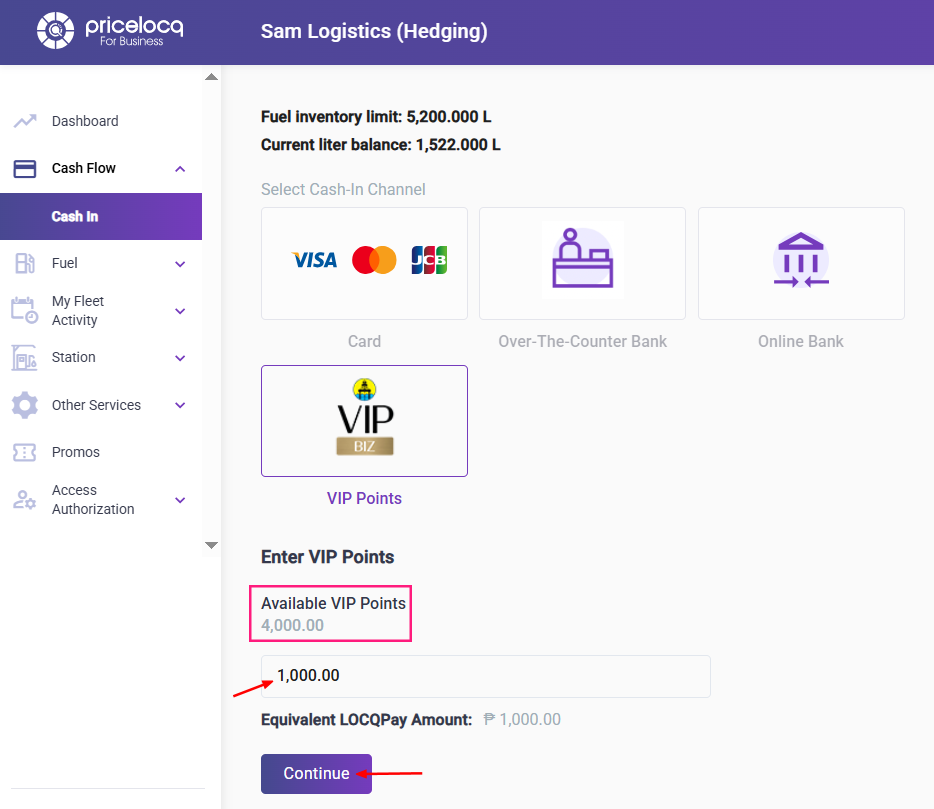
Step 3: You’ll be redirected to the Cash In page under the VIP BIZ tab. Your current available VIP Points will appear.
Step 4: Enter the number of points you wish to redeem, then click Continue.
Step 5: A confirmation message will appear, showing that your request is being processed along with a Cash In ID.
Please share this Cash In ID with your Account Manager to complete the process.
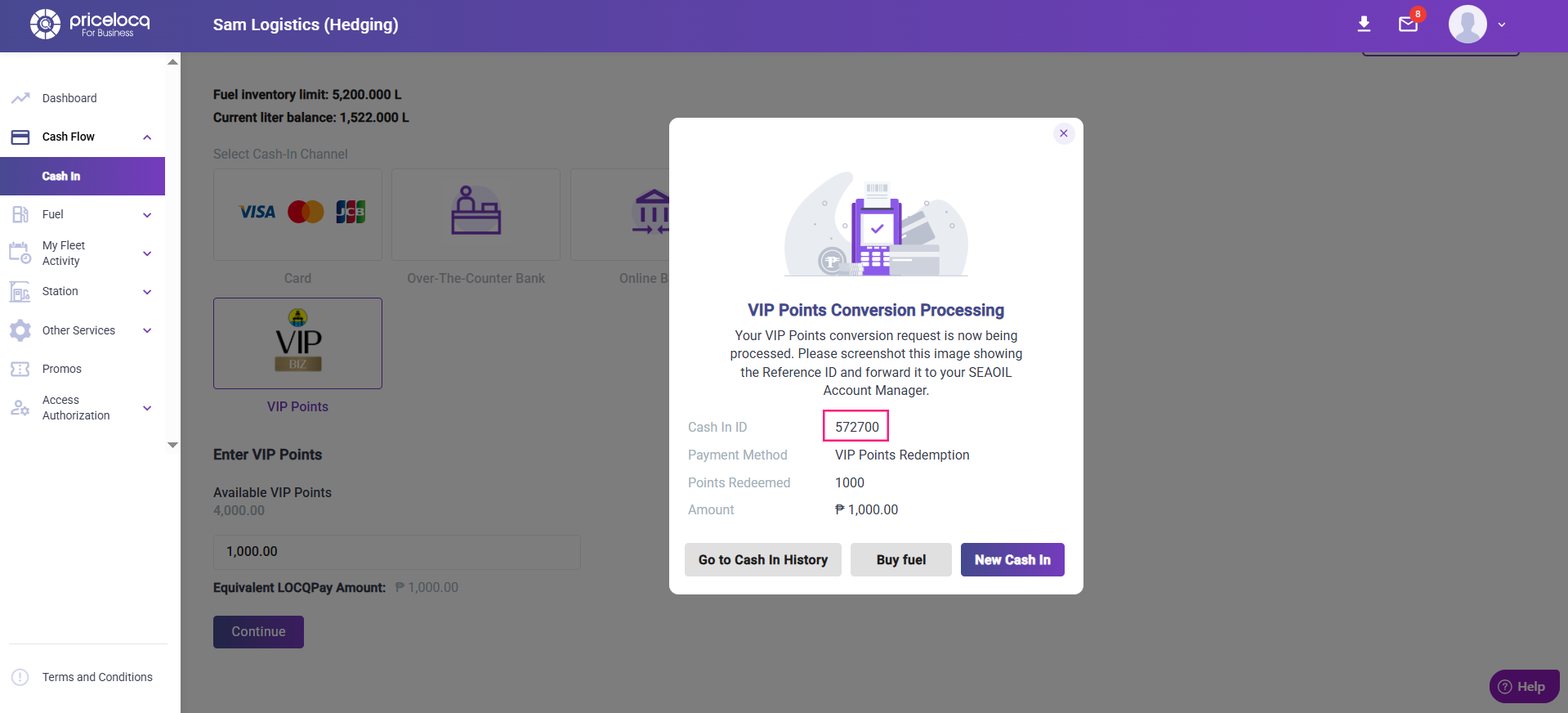
Note: Once you redeem your VIP Points in the portal, the equivalent peso amount will not be credited instantly. It will go through a verification process. To learn more about this process, please refer to the full article.
For any inquiries or concerns, kindly reach out to your respective Account Managers or email us at plb-support@locq.com.
Note: Please ensure that your Account Manager is copied (cc’d) in your email when reaching out to our support team.
Was this article helpful?
That’s Great!
Thank you for your feedback
Sorry! We couldn't be helpful
Thank you for your feedback
Feedback sent
We appreciate your effort and will try to fix the article